Stephen Martin, Sr. Staff Consultant @ Nutanix | September 2025
Introduction
Flow Network Security provides microsegmentation for VMs within your Nutanix Cloud Platform. However, you may find a need to provide additional inspection or security features for your VMs. For instance, you may want to redirect any Internet-bound traffic through a Next-Generation Firewall where URL filtering and content inspection can be performed. The Service Insertion feature of Flow Network Security 5.2 allows you to do just that. In this post, I’ll be showing you how to set up a Palo Alto VM-Series Firewall as a Network Function VM and how to use Service Insertion rules to redirect traffic through the Palo Alto VM-Series Firewall.
Note: As of this writing, service insertion is only available for application policies scoped to VLANs.
Deploying the PA VM-Series
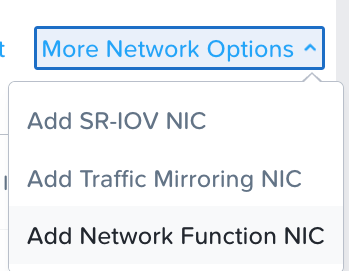
Deploying the Palo Alto for use as a Network Function VM is not significantly different than the standard AHV deployment process. However, there are a few additional steps required. The first thing we will want to do is to configure two additional NICs as Network Function NICs. So, when deploying our PA, we will configure one standard NIC for our management interface, and two additional Network Function NICs to handle the actual inspection traffic.

Once the VM is built, we should be able to identify the MAC addresses assigned to the Network Function NICs from the VM info in Prism Central.
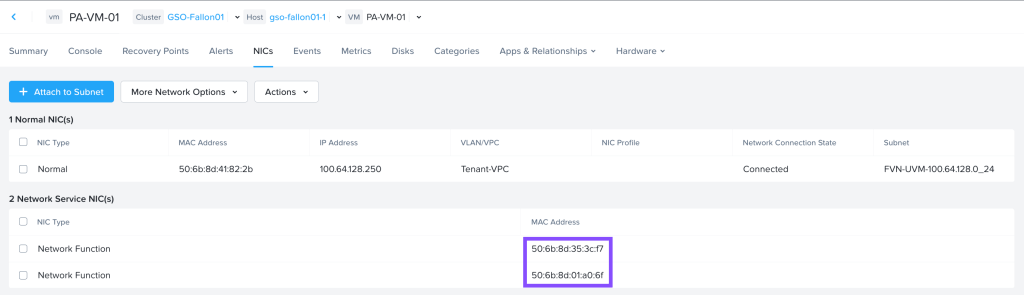
We will then want to run show interface all on the Palo Alto CLI to identify the interface names for each MAC. We will use ethernet1/1 as our Inbound NIC and ethernet1/2 as our Outbound NIC when setting up the Network Function.

Configuring the Palo Alto VM
Within the Palo Alto, we will want to tie these two interfaces together as a Virtual Wire, ensuring we uncheck the Link-State Pass Through box.

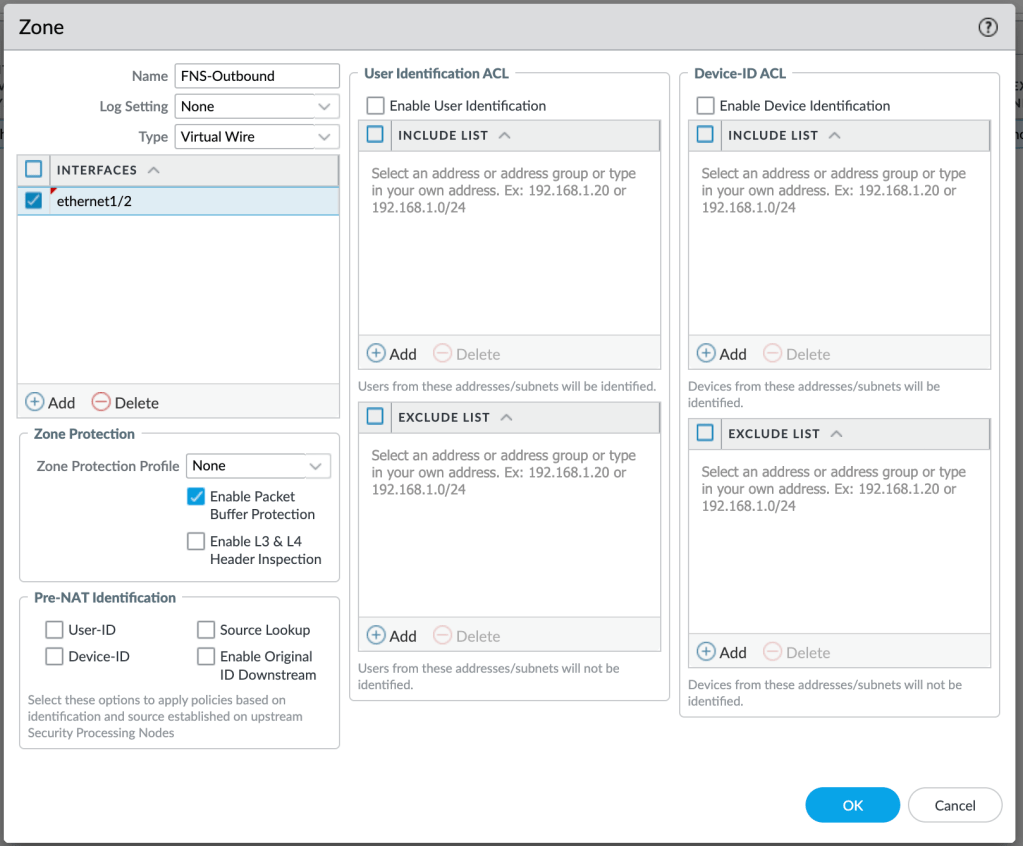
We will create two Virtual Wire security zones, FNS-Inbound and FNS-Outbound, and assign the appropriate interface to each.

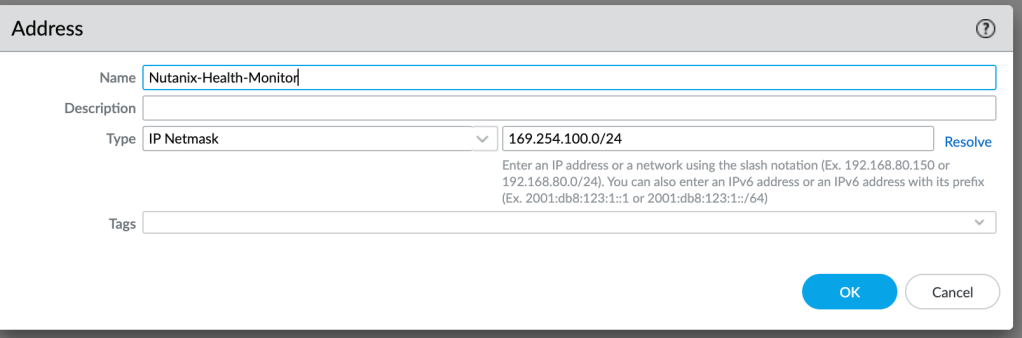
We will also need to create a security policy that allows health checks for the Network Function service. These health checks use pings to and from a 169.254.100.0/24 address, so we will create a network address object.
We will use this object to create a security policy allowing the health check pings. Specify the policy as shown, allowing pings from the inbound zone to the outbound zone.

Configuring the Network Function VM
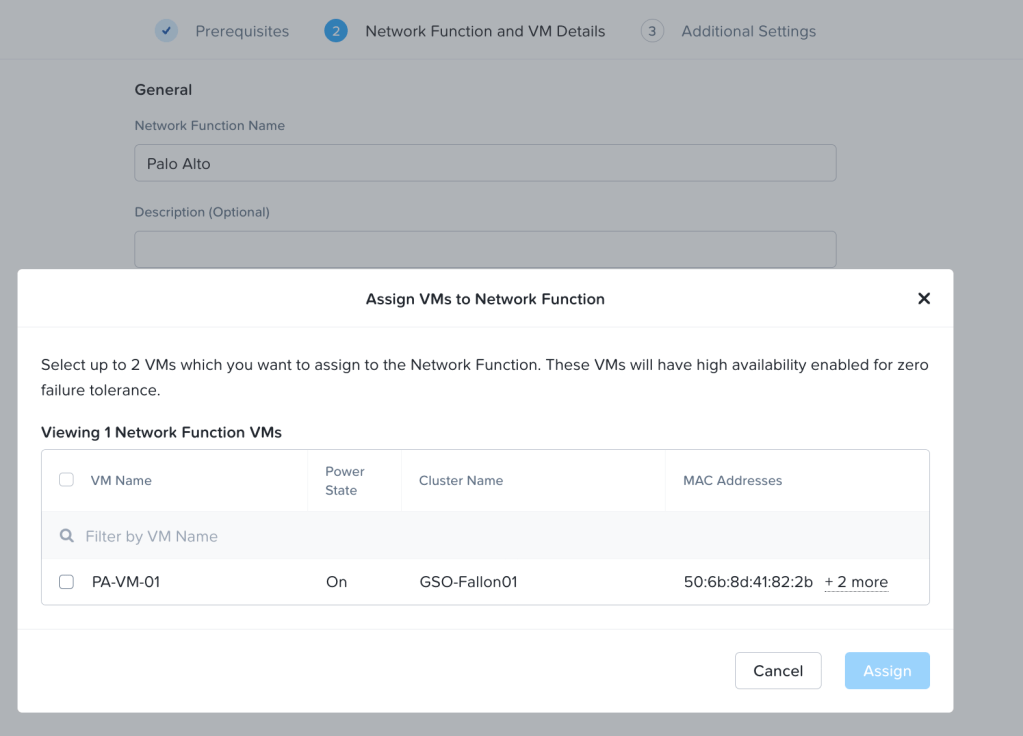
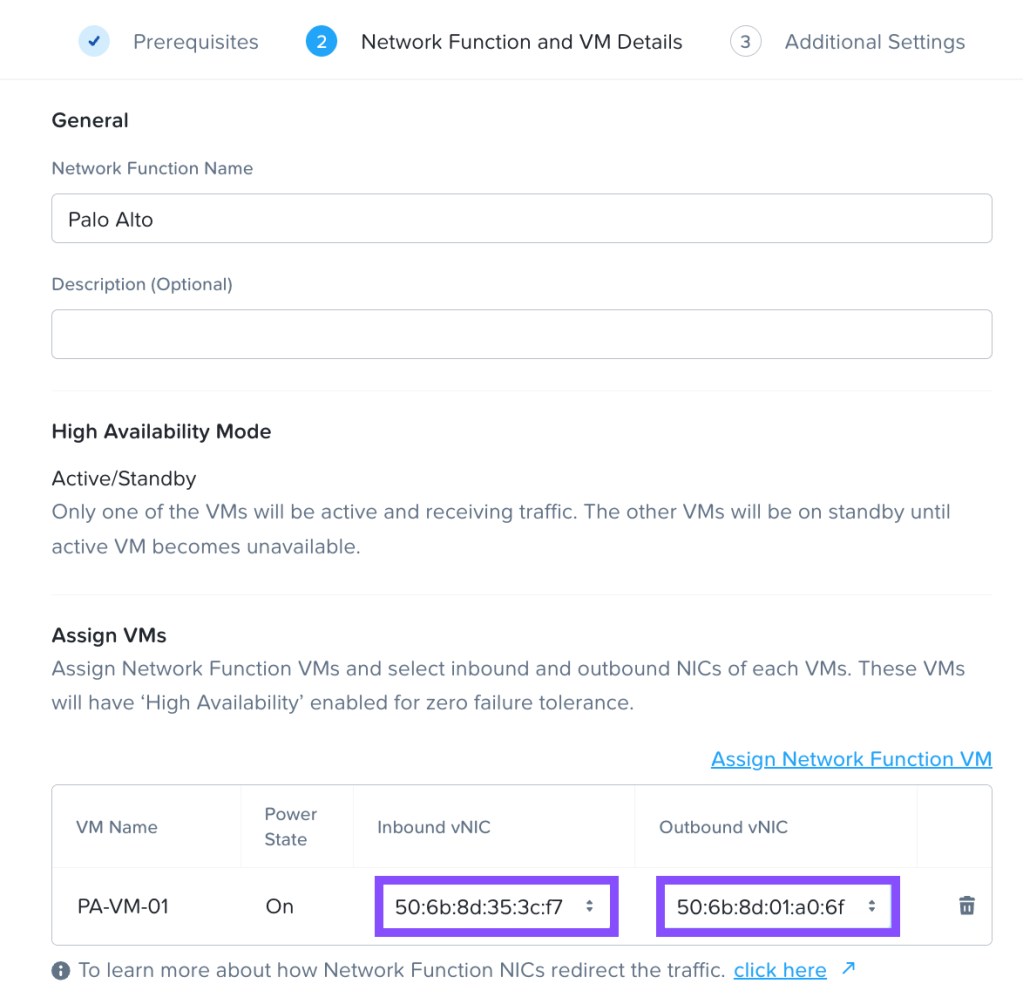
We can then create a Network Function VM from the Network Function tab of the Prism Central Security Policies section. We will select our PA VM and make sure the correct MACs are set as Inbound and Outbound
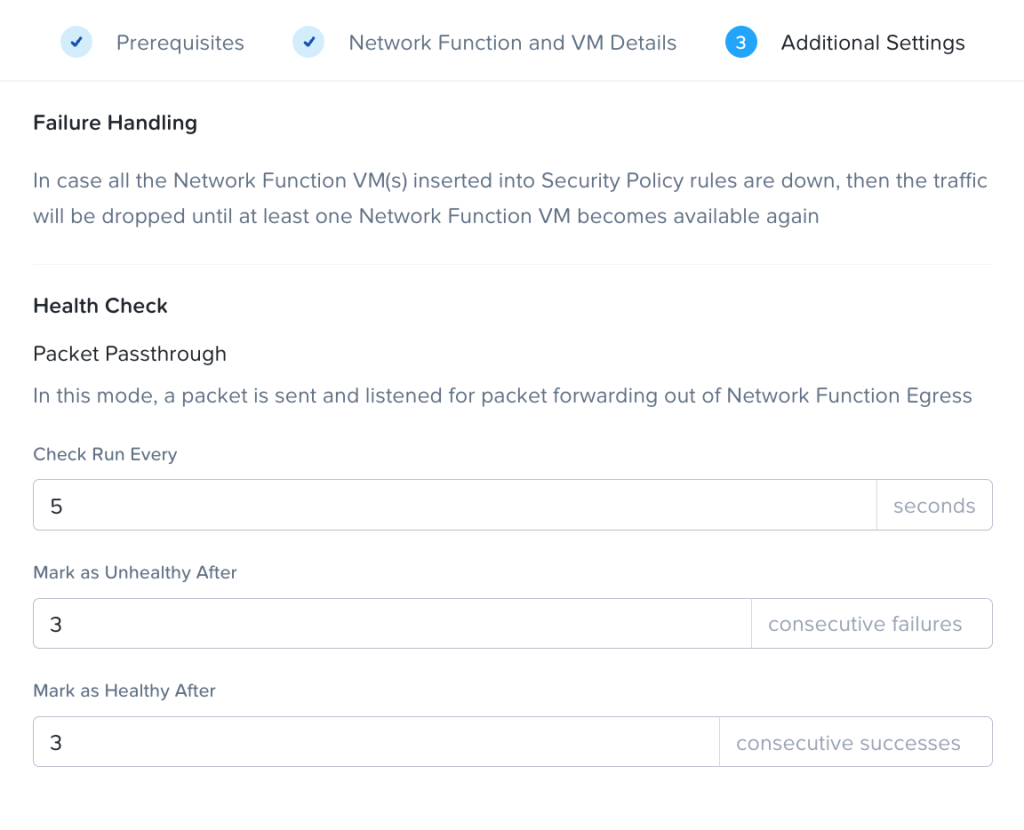
Configure health check values. In this case, health checks will be sent every 5 seconds, and it will take 3 missed or successful checks to change the network function VM’s health.
If everything has been done correctly, our network function should show as healthy.

Inspecting Internet Traffic
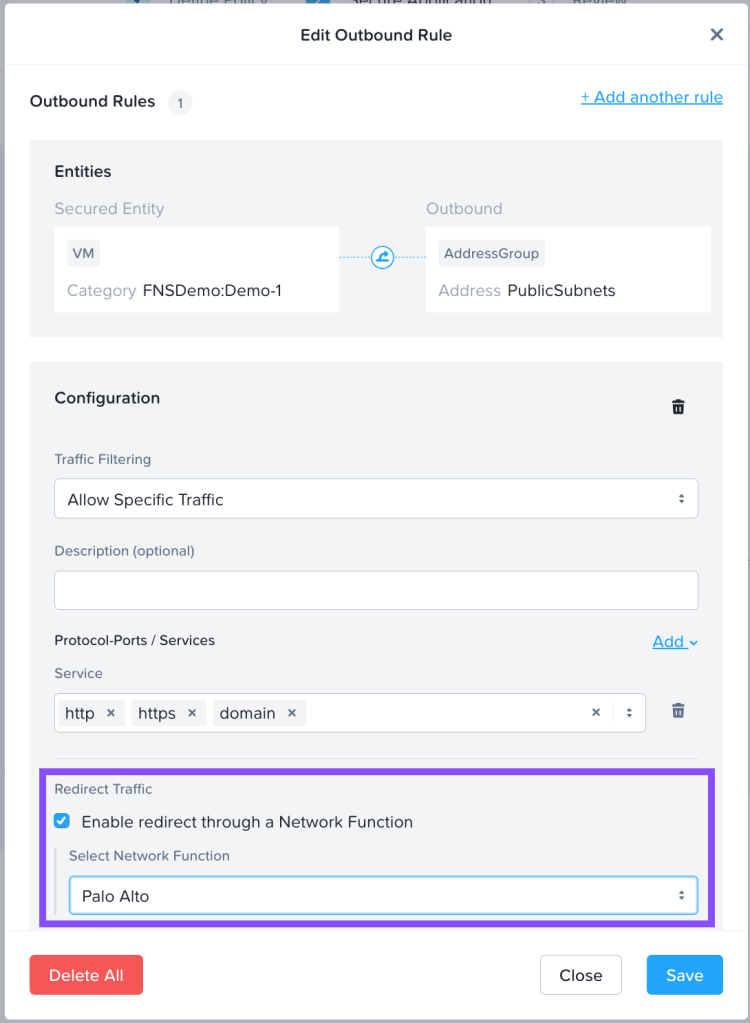
To demonstrate the Service Insertion feature, we will use Palo to inspect internet traffic and block undesired web traffic. While one might typically do this organizationally from a perimeter firewall, it’s the easiest way to demonstrate the feature. Within an Application Policy, we can add an outbound rule to allow HTTP, HTTPS, and DNS traffic to a Public Subnets address group and choose to redirect this traffic through our network function. We’ll use the category FNSDemo:Demo-1 as our source, which includes a single VM we’ll use for testing.
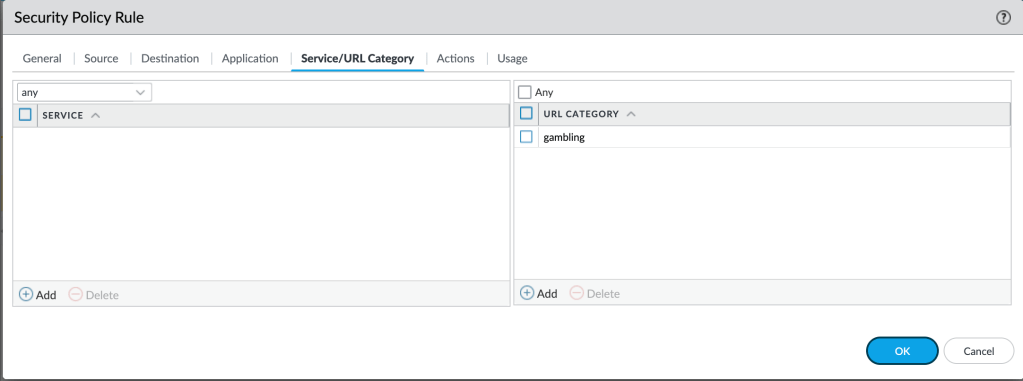
In our Palo Alto, we can create a security policy to secure this traffic. We’ll configure it to allow standard web browsing, access to Google, as well as DNS. We’ll also configure a higher priority policy that specifically blocks traffic to websites that fall under the Gambling category.

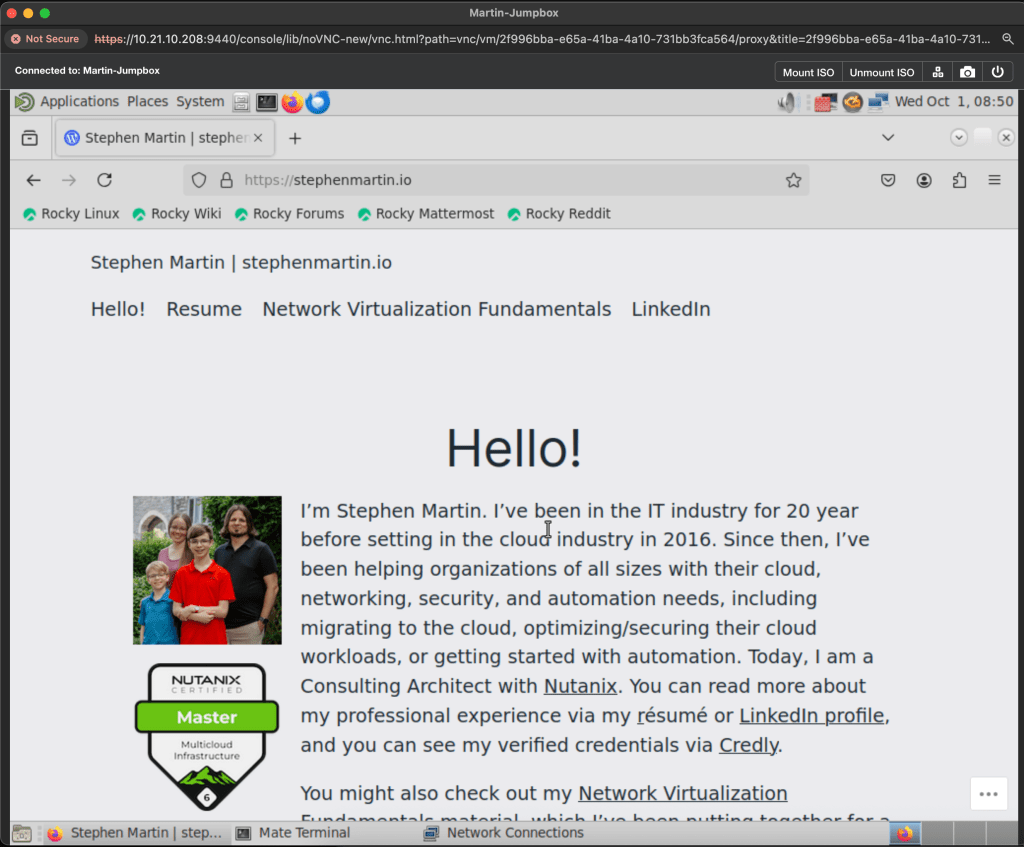
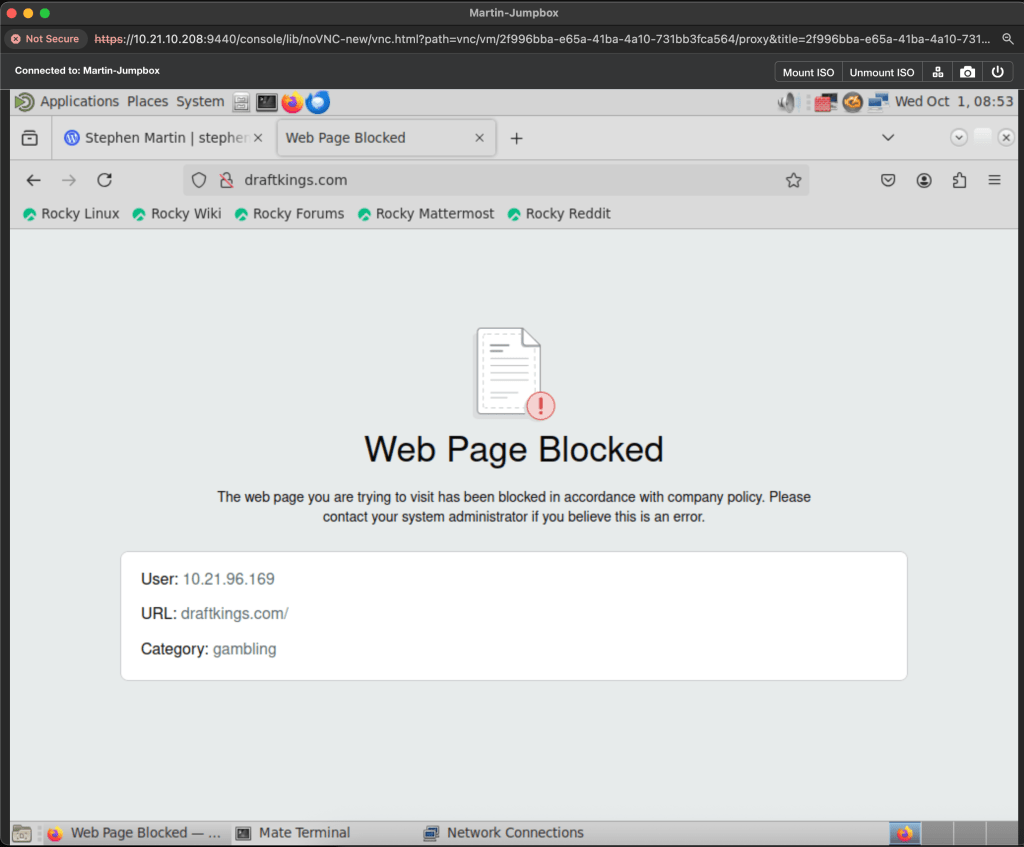
Once we commit our policy, we can test. We load up our jump box, and verify we can access the internet, and sure enough, we can. And to further confirm, we attempt to load a gambling website. Sure enough, we cannot!
It’s that easy!
The Service Insertion feature of Flow Network Security is easy to get started with, and integrations with alliance partners such as Palo Alto allow you to greatly expand your ability to inspect and secure traffic within your Nutanix environment. This extends beyond simple tasks as web filtering, allowing you to also perform tasks such as data loss prevention, anti-virus, anti-spyware, or more. Check our Palo Alto page on Nutanix.com for more information.
 Stephen Martin | stephenmartin.io