Before We Begin
This post will assume you are aware of how to perform some basic tasks such as creating categories and assigning them to VMs. It also assumes you have some familiarity with Flow Network Security. I suggest you check out my previous posts before continuing if you need a refresher.
Also, I want to be very clear that your organization’s security requirements are quite likely unique. These examples are just that: examples. This is not intended to be an authoritative list of best practices, and does not account for any particular compliance framework. Everything should be taken in consideration with the unique requirements that your environment or industry presents. While I am an employee of Nutanix, I am not writing this in any official capacity.
New Version Number, Who Dis?
Nutanix recently released Nutanix Cloud Infrastructure 7.5, a feature packed release with a special focus on securing environments across multiple clouds. Part of this release was Flow Network Security 7.51, which introduced a number of new features to make microsegmentation even easier. Full release notes are available on the Nutanix Support Portal (login required) but I wanted to take a moment to show you how some of these new features make it even easier to secure your environment.
In particular, we’re going to take a look at:
- Intra-Tier Rule Removal and how you can simplify policy creation by creating rules that cover your entire secured footprint.
- Subnet and VPC as Secured Entity and how you can implement “Deny by Default” across your entire infrastructure.
- Address Group as Secured Entity to help write rules when leveraging Nutanix Disaster Recovery across Availability Zones
- Network Address Exclusion to make it easier to secure traffic to and from resources outside of your Nutanix infrastructure.
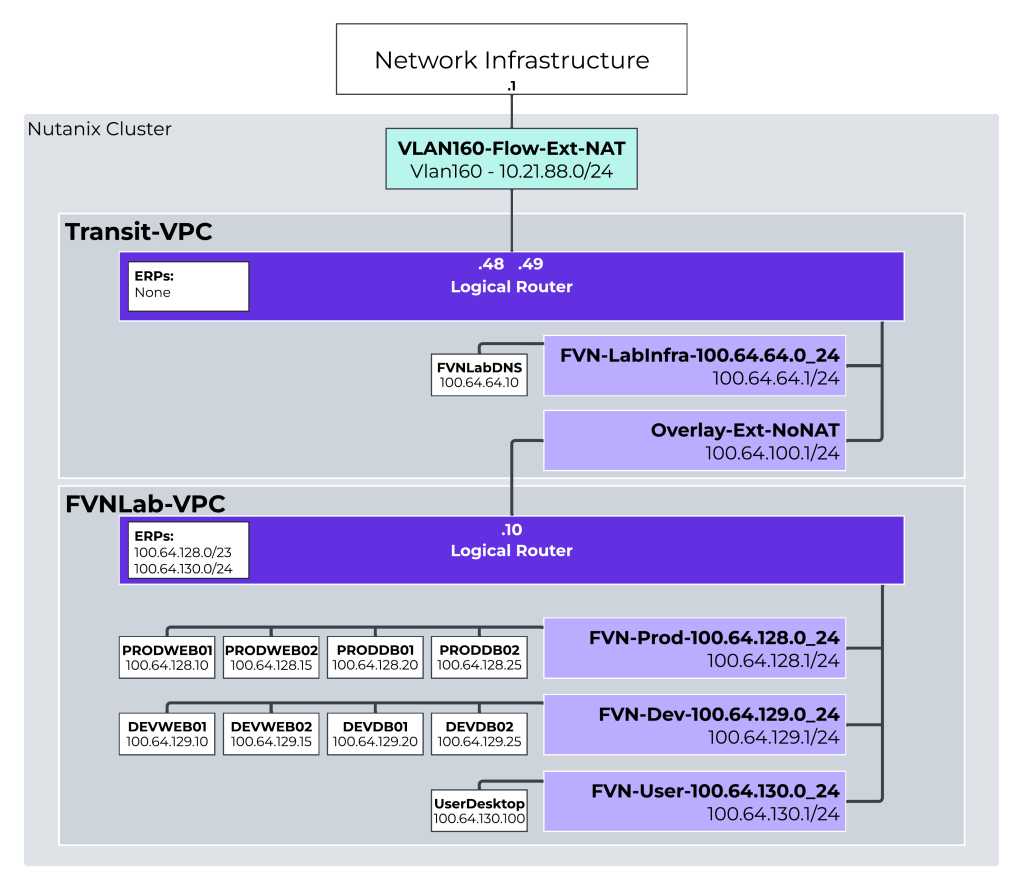
We’ll use the following lab environment for our examples. Not every part of this lab will be used in these examples, but stay tuned for future posts where we’ll expand on this.
In our previous posts, I wrote about how to create application policies, and we built a policy like the one below. I’ve annotated the diagram with green lines which indicate the rules specific to the application, and the red lines to indicate rules that would be repeated across application policies, so this is where we’ll start from.
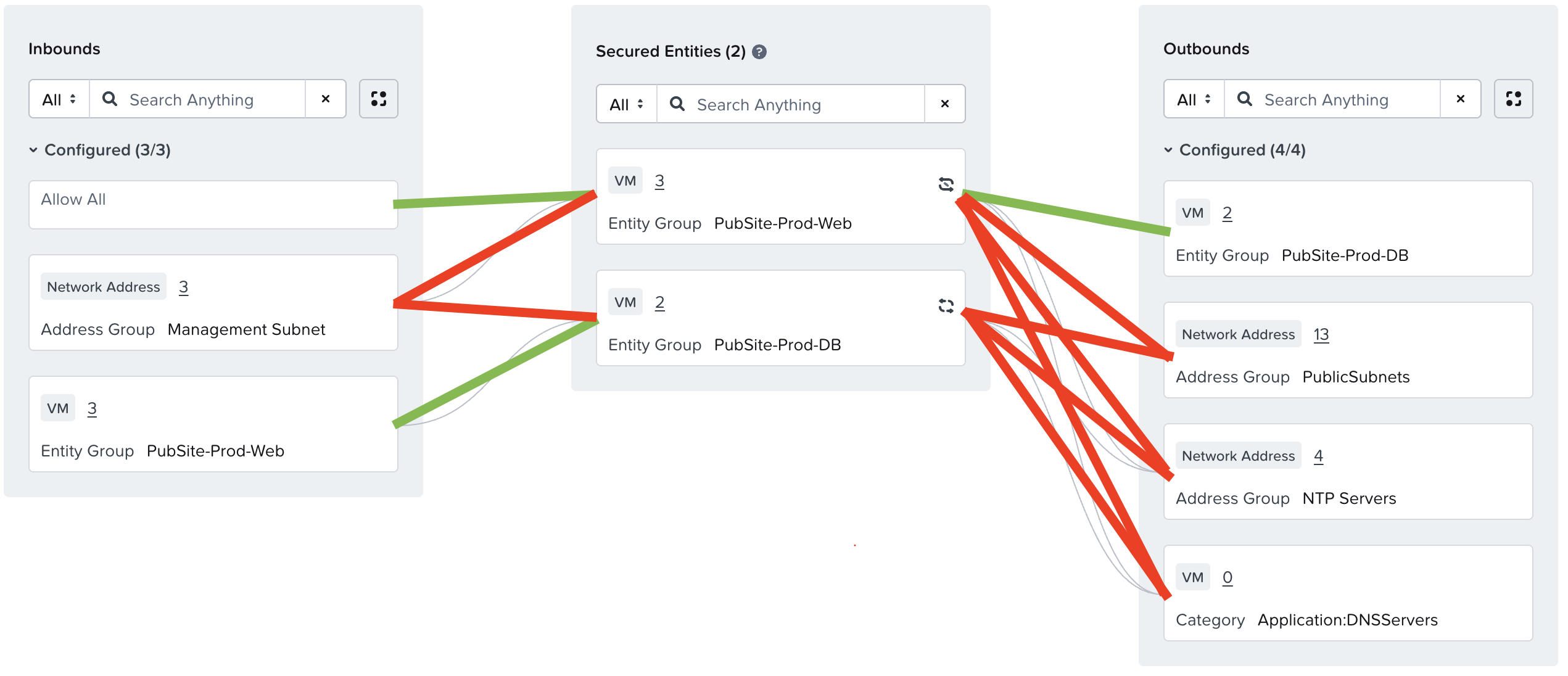
With the new features available to us, we
- We need to ensure all of our VMs in the FVNLab-VPC can send DNS requests to FVNLabDNS, and that FVNLabDNS can forward requests to external DNS servers.
- We need to ensure all VMs have access to defined internet NTP servers.
- We need to ensure admins can access all VMs via SSH, as well as send ICMP traffic.
- We need to ensure all VMs are able to access the internet via HTTP and HTTPS, with additional filtering performed by perimeter firewalling as needed.
- Our existing applications need to continue to function, but with their policies simplified to only include the rules specific to that application.
- No other traffic should be allowed.
Let’s get started.
One of the challenges of earlier versions of Flow Network Security was the behavior of Intra-Tier rules resulting in needing to repeat rules across all application policies, and the inability to create policies that applied to large groups of VMs that spanned many applications, or even every VM2. This could be eased by starting with a template, but what if you needed to go back and add a new service to your existing policies? Fortunately, the fine folks in the FNS product team listened, and you now have the option to remove the Intra-Tier rule from Secured Entities.
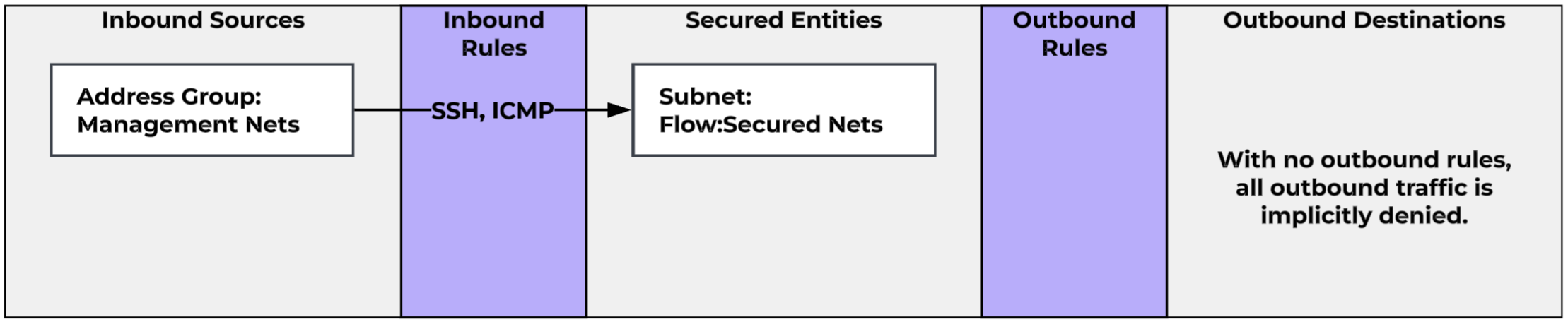
Now, we can create rules that apply to entities that span multiple applications, which is especially useful for common services such as DNS, NTP, monitoring, logging, AD, or even enabling internet access. We’ll start with our DNS policy as an example of how we can do this.
In our environment, we have an internal DNS server, FVNLabDNS that serves internal DNS requests and forwards DNS requests to external servers as needed. We’ll assign it the category Applications:DNS. Next, we’ll categorize our internal networks as FlowPolicy:Secured Networks. With the required elements created, we can now build our DNS policy. When we add our FlowPolicy:Secured Networks Subnet category as a secured entity, we remove the Intra-Tier rule to prevent allowing or blocking unwanted traffic. We’ll also add our Application:DNS category as a secured entity. As we only have a single DNS server, we can also remove the intra-tier rule here. However, if we had multiple DNS servers, we could use the Intra-Tier rule to allow DNS traffic between the servers if needed.
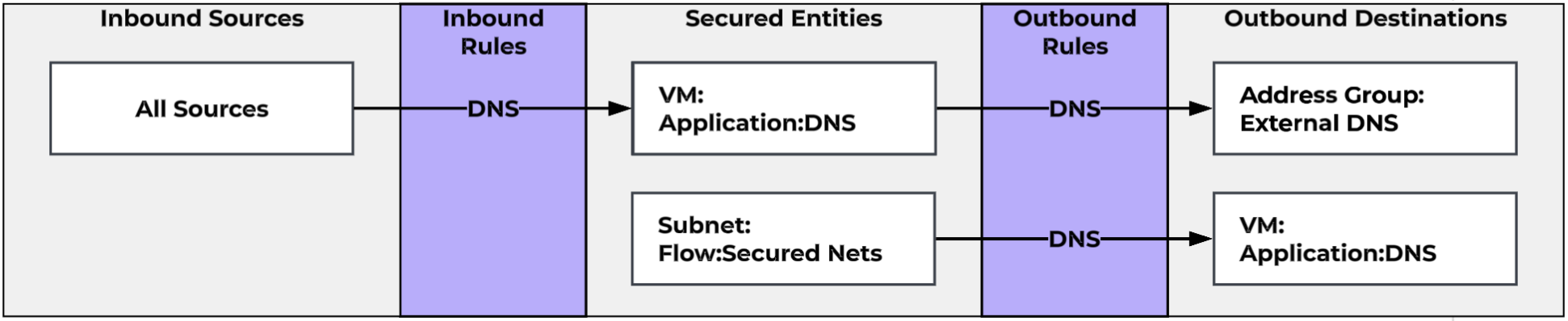
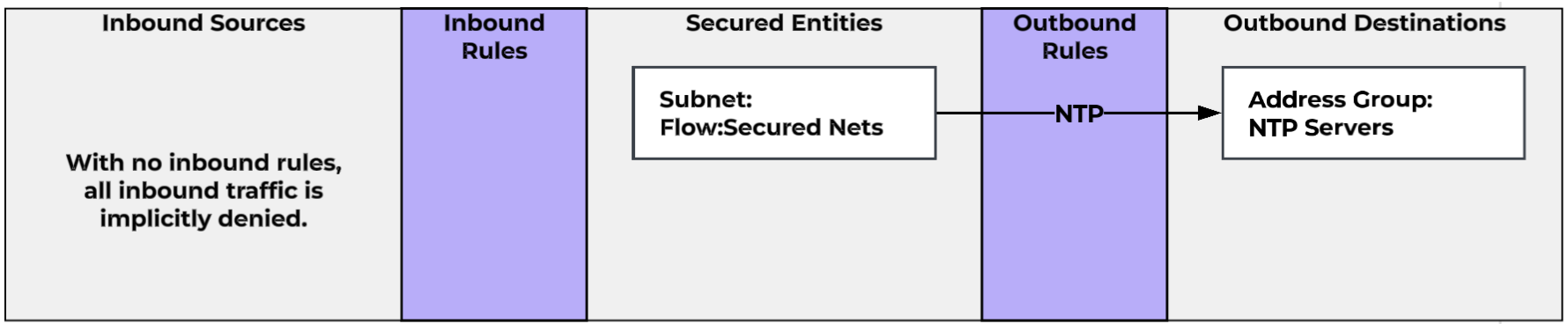
Similarly, we can create a our NTP and Management Access policies. These Infrastructure Services rules can absolutely all be part of a single policy. It depends on how you want to want to set up and see logging, as hit logs are enabled on a per-policy basis, not a per-rule basis. Our DNS and NTP policies, for instance, will generate a lot of logs that we don’t necessarily need, so we might not want logging turned on for those.
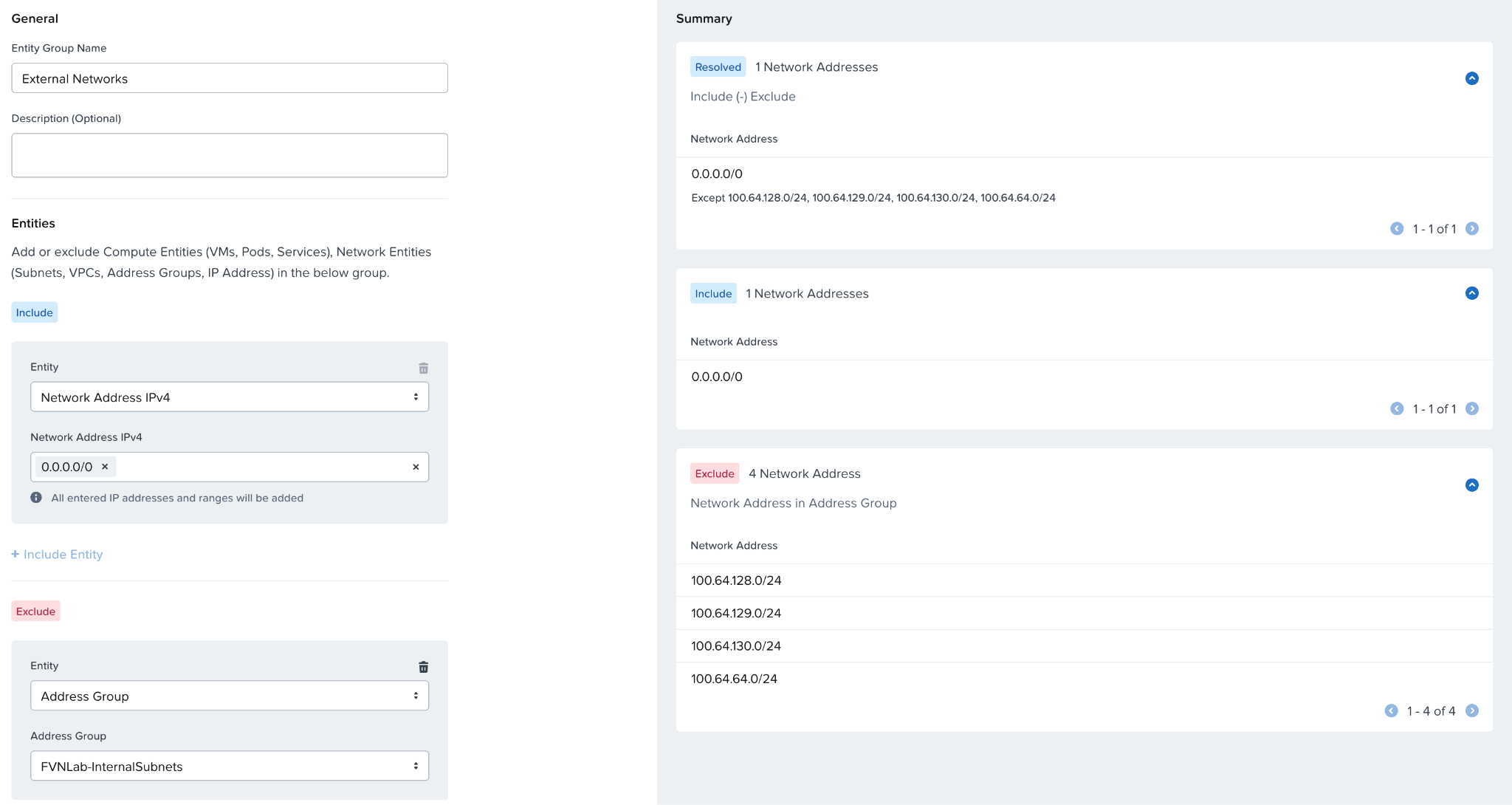
We can create our policy for Internet Access as well. Previously, we used a Public Subnets address group that defined 13 address blocks, and that’s still a perfectly valid. However, we also have another new option, Network Exclusions. We can create an Entity Group that is defined as 0.0.0.0/0. We can then define an Exclusion for an address group that defines our internal subnets (whether they be Flow Overlay subnets or other networks used throughout our organization. This will effectively result in a group that defines every network other than our own. We could use this as our destination, with the assumption that any traffic destined for this group would end up at our perimeter firewall and be policed there.
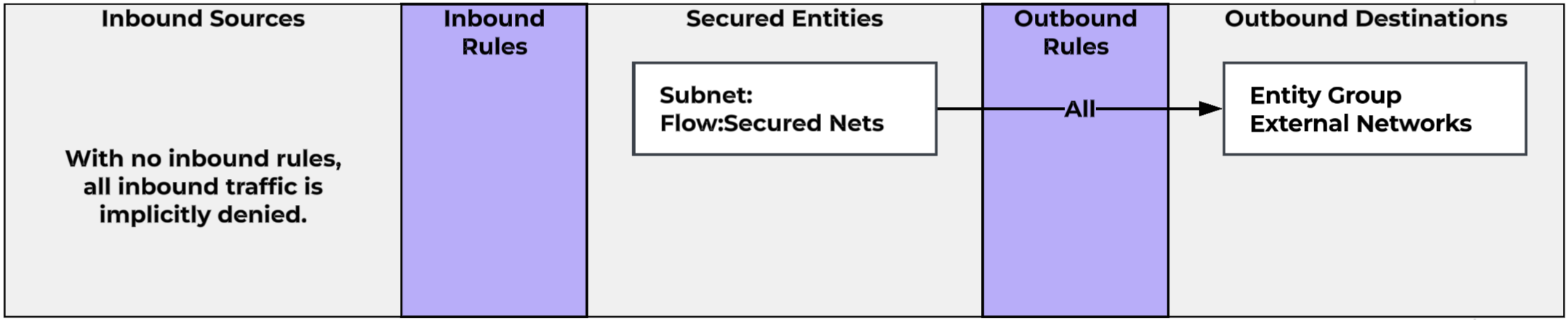
We could use this as our destination for our external access rule if we choose.
Now, you absolutely could put these rules together in a single “Default” policy, ending up with something like this.
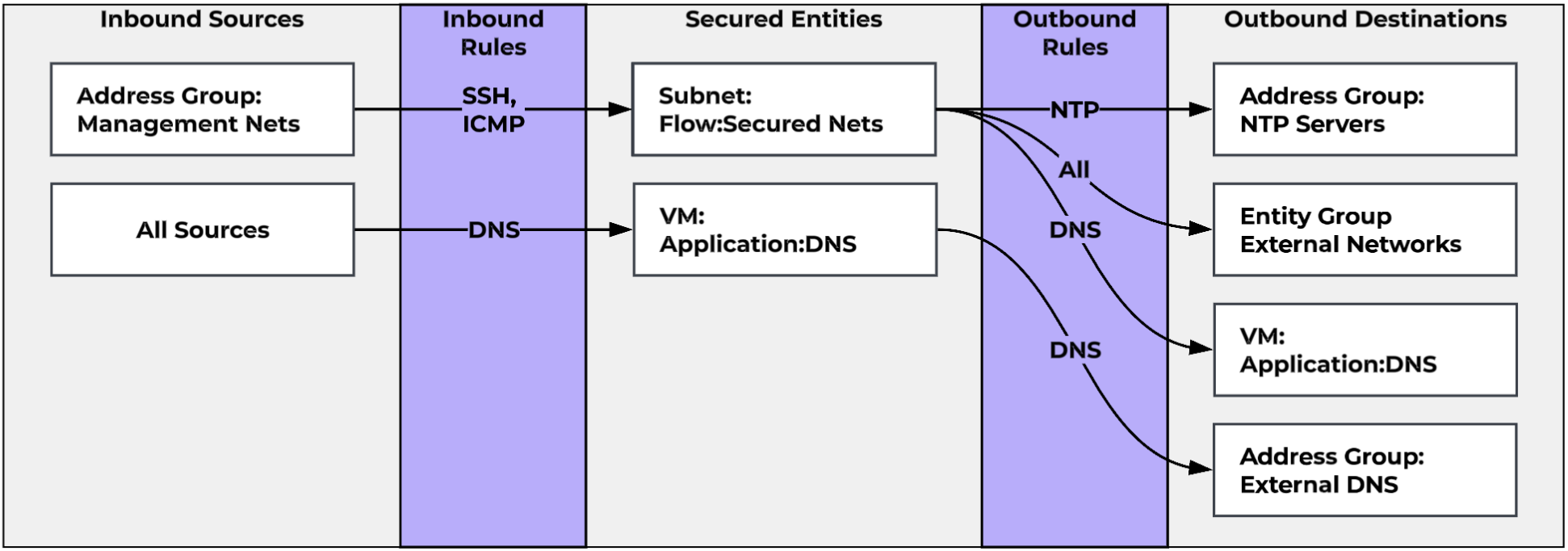
However, be aware that logging is enabled on a per-policy basis, so if you were to enable hit logs on this policy, you would get hit logs for all of the traffic, and there are some potentially very noisy rules.
We can now remove all of these infrastructure services from our application policies, allowing them to define just the traffic for our applications. Our policy for our WordPress site now just includes the following.
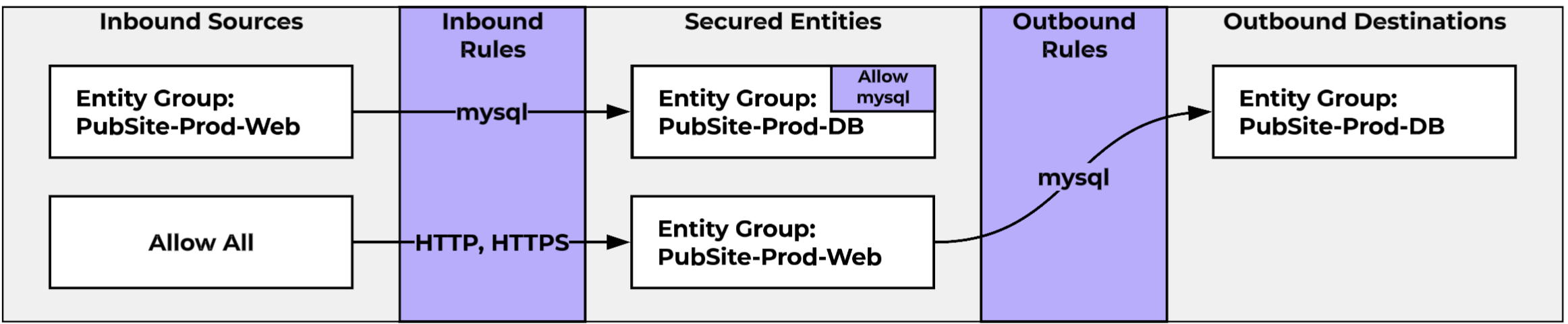
With this done, we’ve accomplished our goals. By securing our networks entirely, we’ve ensured that only the traffic defined in our policies will be allowed, with all other traffic on our VPC networks denied by default.
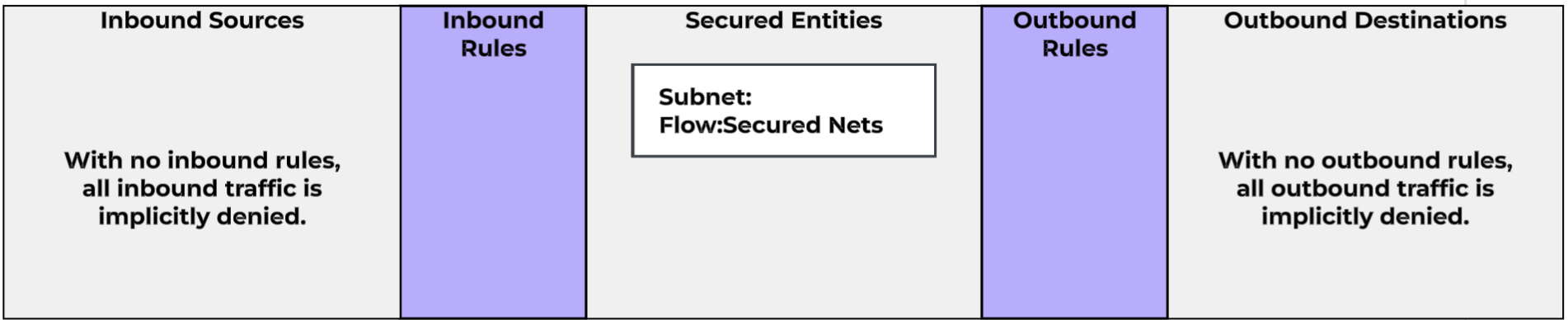
An alternative approach would be to implement “Deny by Default” by creating a policy for our secured networks with no defined inbounds or outbounds. This ensures that any workloads on our networks are considered secured by FNS, and thus will only be allowed to send/receive traffic defined in specific application policies. We would then use VM categories in our infrastructure policies. This would go even further, with newly created VMs being completely isolated until they are explicitly assigned categories.
Hopefully this gives you some idea of the benefits of Flow Network Security 7.5 and a start on how these new features can make it easier to secure your environment. Flow Network Security is seeing exciting developments with each new release, so keep an eye out for more information!
- The product version was brought into sync with the rest of the NCI platform, so if you’re wondering what happened to FNS 5.3 -> 7.4, you didn’t miss anything. ↩︎
- In my previous posts, I talked about the Intra-Tier rule, and how the requirement meant that you could not create policies for “global” rules that applied to your entire infrastructure, as an “all my VMs” category would be subject to an Intra-Tier rule that would take precedence over any inbound or outbound rules, even rules created between subsets of the larger group. ↩︎
 Stephen Martin | stephenmartin.io